The order lives in your system. The invoice lives in Xero. Somewhere between the two, a person retypes it, or a connector syncs it and nobody quite trusts the result. At month end your accountant finds two invoices for the same job, a customer called "J Smith Ltd" and another called "J. Smith Limited", and a payment Xero knows about that your team is still chasing.
None of that is Xero's fault, and it is rarely the API's fault either. Most Xero integrations go wrong because nobody decided which system is in charge of which record before the first line of code was written.
Symentic Technologies is a UK software company that builds custom operations systems for SMEs in the UK, Australia and New Zealand. Connecting those systems to the tools a business already runs on, such as payments, EPOS, webhooks and accounting software, is a core part of the work, and we run two live SaaS platforms of our own. This post is how we would approach a custom Xero integration if it were our business. It is engineering guidance, not accounting or tax advice: agree the finance rules with your accountant.
What a Xero integration should actually do
A good Xero integration moves finished commercial facts out of your operations system and into Xero without anyone retyping them: who the customer is, what they bought, what it cost, and which tax applies. Then it brings back the small number of things your team needs to see, usually whether an invoice has been paid.
It should not try to make your operations system a second copy of your accounts. Xero is where your ledger, bank reconciliation, tax returns and accountant live. Your operations system is where orders, jobs, bookings, stock and people live. The integration is the handover point between them, and the cleaner that handover is, the less anyone has to fix later.
The first decision: which system owns each record
Before choosing a connector or writing code, write down an owner for every type of record that crosses the line. "Owner" means the one place where that record is created and edited. The other system only receives copies.
| Record | Usually owned by | Why |
|---|---|---|
| Customers and billing contacts | Operations system | That is where the customer relationship starts. Xero receives the contact and its Xero ID is stored back against your customer. |
| Products, services and prices | Operations system | Pricing rules, discounts and bundles are business logic. Xero only needs the result on an invoice line. |
| Invoices | Created from operations, held in Xero | The invoice is raised when the job or order is done, then Xero is the record your accountant works from. |
| Payments and reconciliation | Xero (or your payment provider) | Bank feeds and reconciliation happen in Xero. Your system reads payment status back rather than recording it twice. |
| Chart of accounts, tax rates, tracking categories | Xero, controlled by your accountant | Your system maps products to these codes but never invents its own. |
The table above is a sensible default, not a rule. What matters is that every row has exactly one owner. "Two-way sync of everything" sounds thorough. In practice it means two sources of truth, and the integration spends its life deciding which edit wins.
Off-the-shelf connector or custom integration?
If your operations run on a mainstream product that already has a well-reviewed listing on the Xero App Store, start there. A maintained connector is cheaper than anything we would build, and someone else keeps it working.
A custom Xero integration earns its place when:
- Your operations system is itself custom, or a connector does not exist for it.
- Your invoicing rules are specific: deposits, staged or part invoicing, one job billed to several parties, or tracking categories per site or department.
- You need failures to be visible to staff, not buried in a connector's log that nobody opens.
- You have outgrown the connector, and your team now keeps a spreadsheet of what it got wrong.
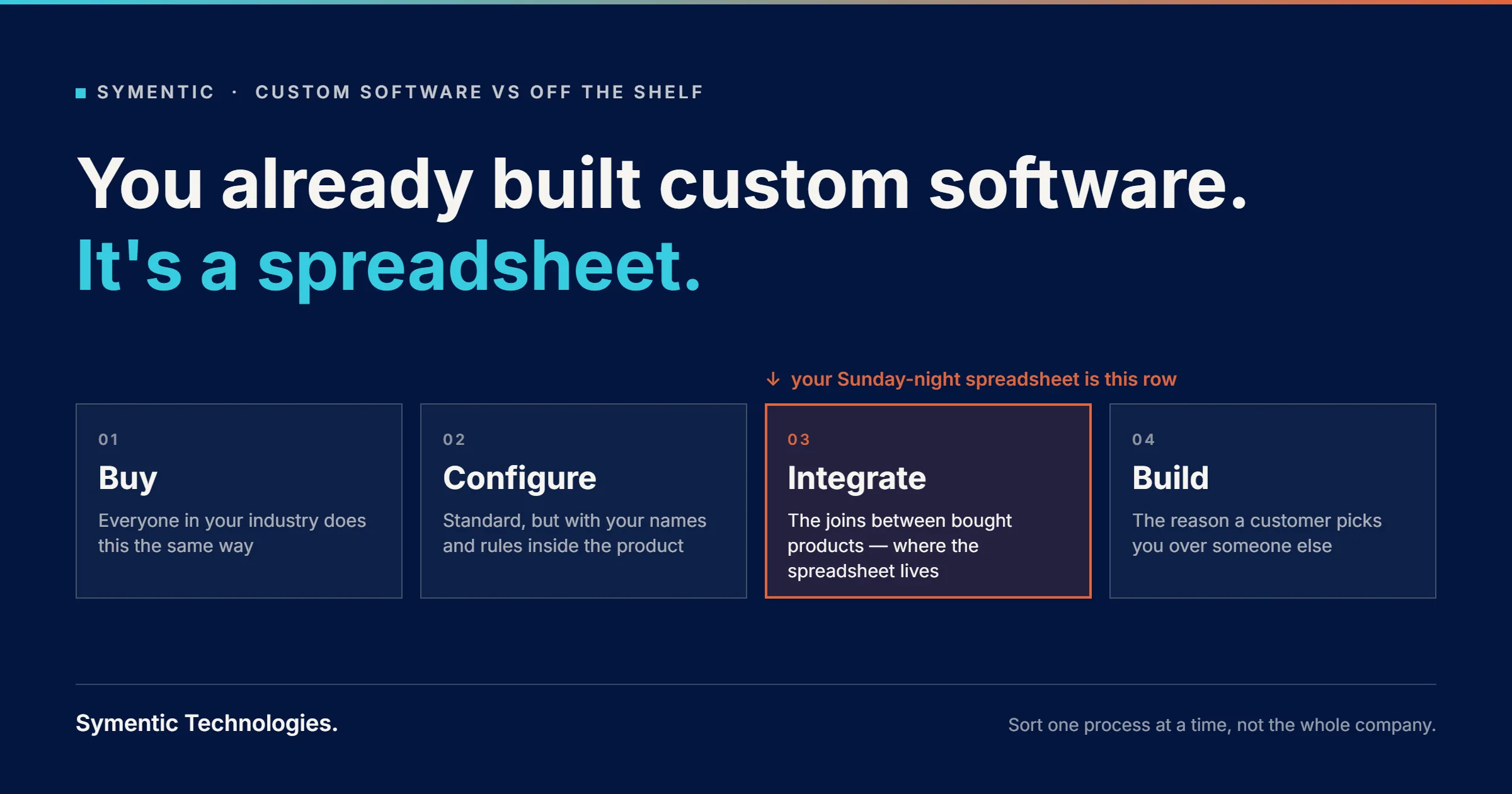
That last one is worth taking seriously. If people are checking the sync every week, you already have a manual process. It just has a connector in the middle of it. We wrote more about that pattern in you already built custom software, it's a spreadsheet.
What Xero's API rules mean for the design
Xero publishes clear developer rules, and a few of them shape how a reliable integration has to be built. These figures come from Xero's developer documentation at the time of writing. Check the current versions before you build.
Rate limits: design for a queue, not a live call
Each connected Xero organisation allows 5 calls in progress at once, 60 calls per minute and 5,000 calls per day. Go over and Xero returns an HTTP 429 response, and every response tells you how much of each limit is left.
For a busy operation that matters. An integration that makes a live Xero call every time someone opens an order page will hit those limits on a good day. The reliable pattern is a queue: your system records "this invoice needs to go to Xero", a background worker sends work in batches at a steady rate, and backs off when Xero says slow down. Staff never wait on Xero, and a busy Friday does not break anything.
Webhooks tell you something changed, not everything
Xero can send webhooks when contacts, invoices and credit notes are created or updated. Each request is signed, and your endpoint should verify that signature before trusting it. A webhook tells you which record changed; your system then fetches the current version.
Not everything has a webhook, so most integrations also run a scheduled catch-up that asks Xero only for records modified since the last check. Webhooks for speed, a catch-up job for completeness.
Retries must not create duplicate invoices
Networks fail halfway through requests. If your integration retries blindly, you get two invoices. Xero's Accounting API supports an idempotency key on create and update requests, so a retried request with the same key is not processed twice. Use it, and store the Xero invoice ID against your order the moment it comes back, so your system always knows whether an invoice already exists.
Connections expire if nobody is watching
With Xero's standard OAuth 2.0 connection, access tokens last 30 minutes and are renewed using a refresh token. According to Xero's OAuth FAQ, an unused refresh token expires after 60 days, after which someone has to reconnect. An integration should alert a named person the moment its connection fails, not leave you to discover it at month end.
Custom Connection or a standard Xero app?
For a single business connecting its own system to its own Xero organisation, Xero offers Custom Connections. They use a simpler machine-to-machine sign-in, connect to exactly one organisation, and are available to organisations in Australia, New Zealand, the UK and the US. Xero lists the subscription at £5 a month (ex VAT) in the UK, A$10 a month (inc GST) in Australia and NZ$10 a month (ex GST) in New Zealand, per connection, on its custom development page.
A standard Xero app is what you need if you are building a product that many different businesses will connect their own Xero to. Since March 2026 Xero has priced its developer platform in tiers based on connections and data usage, with a free Starter tier capped at five connections and paid tiers above that. Xero's pricing and policy FAQ says Custom Connections stay on their existing commercial terms, and bespoke integrations built for a single client are exempt from the new pricing model.
The same update matters if you are planning AI features. Xero's developer terms now prohibit using data obtained through its APIs to train or contribute to the creation of AI or machine learning models. If AI is on your roadmap, design with that restriction in mind from the start and check the current terms for your exact use case.
Whichever route you take, the app, its credentials and the connection should be registered to your business, not your developer's personal account. That is the same principle we cover in every supplier looks the same until you try to leave.
The failure modes that actually cost money
These are the problems that show up in month-end reconciliations, and how a well-built integration avoids each one.
- Duplicate invoices. Caused by blind retries or a sync that cannot tell whether it has already sent something. Avoided with idempotency keys and storing Xero's invoice ID against every order.
- Duplicate contacts. Caused by matching customers on name or email text. Avoided by creating the contact once and storing its Xero contact ID, then always using that ID.
- Tax and rounding differences. Caused by your system and Xero calculating tax differently. Avoided by agreeing with your accountant whether lines are sent tax-inclusive or tax-exclusive, which tax rate each product maps to, and then testing real orders, including discounts, against Xero's totals.
- Edits after the invoice is approved. Your team changes an order after its invoice is already authorised in Xero. Decide the rule up front: once authorised, a change becomes a credit note or an adjustment invoice, which is how your accountant expects corrections to look.
- Silent failures. The integration fails on one record and logs it somewhere nobody reads. Avoided with a simple "not yet in Xero" list inside your operations system that a named person checks, with a reason next to each item.
- Chart of accounts changes. Your accountant renames or archives an account code and the integration starts failing. Avoided by reading account codes and tax rates from Xero rather than hard-coding them, and alerting when a mapping breaks.
A sensible first version
The temptation is to integrate everything at once. A better first version is narrow, reliable and visible:
- Push contacts and invoices from your operations system to Xero when an order or job is marked complete, through a queue, with idempotency.
- Read payment status back using webhooks plus a scheduled catch-up, so your team stops chasing invoices that are already paid.
- Show exceptions to staff inside your system, with a clear reason and a retry button.
- Agree and test the finance mapping with your accountant: account codes, tax rates, tracking categories and rounding, using real past orders.
Credit notes, deposits, multi-entity setups and richer reporting come next, once the basics have run cleanly for a while. Each phase has a written scope and cost before it starts, which is how we run all of our work.
If your bigger problem is that an order passes through several tools before it ever reaches Xero, the integration is only part of the answer. We covered that in you don't need another SaaS login, you need fewer handoffs. Card payments have their own version of the same problem, which we wrote about in "we just use Stripe" is not an architecture.
Questions to ask whoever builds it
Whether you hire us or someone else, these questions separate a durable integration from a fragile one:
- Which system owns each type of record, and is that written down?
- What happens when Xero is unavailable or we hit the rate limit?
- How do retries avoid creating duplicate invoices or contacts?
- Where will my staff see a record that failed to sync, and who is told?
- What happens when our accountant changes the chart of accounts or a tax rate?
- Is the Xero app, its credentials and the code registered to our business?
- How will you test it against our real past orders before it goes live?
A developer who answers these clearly has built integrations that had to survive real month ends.
FAQ
Can Xero integrate with custom software?
Yes. Xero provides an Accounting API that custom software can use to create contacts, invoices and credit notes and to read back payment status. For a single business in the UK, Australia, New Zealand or the US connecting its own system, a Xero Custom Connection is often the simplest route.
Do I need a two-way sync with Xero?
Usually not for everything. Most businesses are better served by sending contacts and invoices one way from their operations system to Xero, and reading back only payment status. Two-way sync of the same record means two places can edit it, which creates conflicts.
What does a Xero Custom Connection cost?
At the time of writing, Xero lists Custom Connections at £5 a month ex VAT in the UK, A$10 a month inc GST in Australia, NZ$10 a month ex GST in New Zealand and US$5 a month in the US, per connection. Development and maintenance of the integration itself are separate. Check Xero's developer site for current pricing.
What are the Xero API rate limits?
Per connected organisation, Xero allows 5 concurrent calls, 60 calls per minute and 5,000 calls per day, with an app-wide limit across all organisations as well. Exceeding a limit returns an HTTP 429 response, so a reliable integration queues work and backs off rather than calling Xero live on every action.
Does Xero support webhooks?
Yes, for changes to contacts, invoices and credit notes. Webhooks tell you which record changed and are signed so you can verify they came from Xero. Most integrations pair them with a scheduled check for records modified since the last sync.
Can we use our Xero data for AI features?
Xero's developer terms prohibit using data obtained through its APIs to train or help create AI or machine learning models. If AI features are part of your plans, design around that restriction from the start and check Xero's current terms for your specific use case.
The short version
A Xero integration is a handover, not a mirror. Decide which system owns each record before any code is written. Send finished invoices from your operations system to Xero through a queue that respects Xero's rate limits and cannot create duplicates. Read payment status back. Show failures to a named person instead of hiding them in a log. Keep the app and credentials in your business's name, and test against real orders with your accountant before go-live.
Retyping orders into Xero, or fixing what a connector got wrong? Book a 30-minute discovery call and walk us through how an order, job or request moves from your team into Xero today. We will tell you what we would connect first, what we would leave alone, and whether an existing connector would do the job. You can also see what we've built or get in touch by email.
Related reading: You don't need another SaaS login. You need fewer handoffs. · "We just use Stripe" is not an architecture · Every supplier looks the same until you try to leave · In 2029, the invoice stops being a document